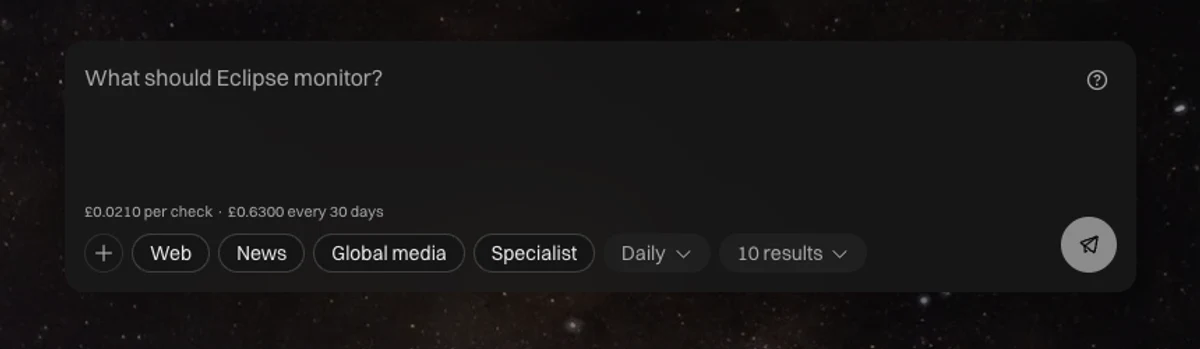
Set a query once and Eclipse keeps looking across the web, the news, global media and the sources your team trusts. Triage what comes back, and send what matters to Cortex for CASi to write from.
Most teams find out late
A competitor launches on a Tuesday and you hear about it in a client call on Friday. Funding gets announced, a regulation moves, a customer complains loudly somewhere public, and by the time it reaches the people who write, the moment has gone and so has the angle.
Watching properly takes somebody reading all day. Nobody has that person.
A COMPETITOR MOVED ON TUESDAY AND YOU HEARD ABOUT IT ON FRIDAY✦A COMPETITOR MOVED ON TUESDAY AND YOU HEARD ABOUT IT ON FRIDAY✦A COMPETITOR MOVED ON TUESDAY AND YOU HEARD ABOUT IT ON FRIDAY✦A COMPETITOR MOVED ON TUESDAY AND YOU HEARD ABOUT IT ON FRIDAY✦A COMPETITOR MOVED ON TUESDAY AND YOU HEARD ABOUT IT ON FRIDAY✦A COMPETITOR MOVED ON TUESDAY AND YOU HEARD ABOUT IT ON FRIDAY✦
ASK ONCE · IT KEEPS LOOKING · TRIAGE THE FEED · WRITE FROM WHAT MATTERS✦ASK ONCE · IT KEEPS LOOKING · TRIAGE THE FEED · WRITE FROM WHAT MATTERS✦ASK ONCE · IT KEEPS LOOKING · TRIAGE THE FEED · WRITE FROM WHAT MATTERS✦ASK ONCE · IT KEEPS LOOKING · TRIAGE THE FEED · WRITE FROM WHAT MATTERS✦ASK ONCE · IT KEEPS LOOKING · TRIAGE THE FEED · WRITE FROM WHAT MATTERS✦ASK ONCE · IT KEEPS LOOKING · TRIAGE THE FEED · WRITE FROM WHAT MATTERS✦
Ask for what you want watched
A monitor starts with a query. Keep it broad to see everything in a market, or narrow it to one competitor and one phrase. Choose where to look, how often, and how much to bring back.
Web
Pages, mentions and live discussion.
News
Publisher coverage and reporting.
Global media
The same story as it is told in other markets.
Trusted sources
The publications and analysts your team already reads.
What people actually watch
Competitors launching, hiring, repositioning or going quiet
Funding rounds, acquisitions and leadership changes
Regulation moving in a sector your clients sell into
Customers complaining in public about a problem you solve
Partners, investors and target accounts in the news
A feed built for triage
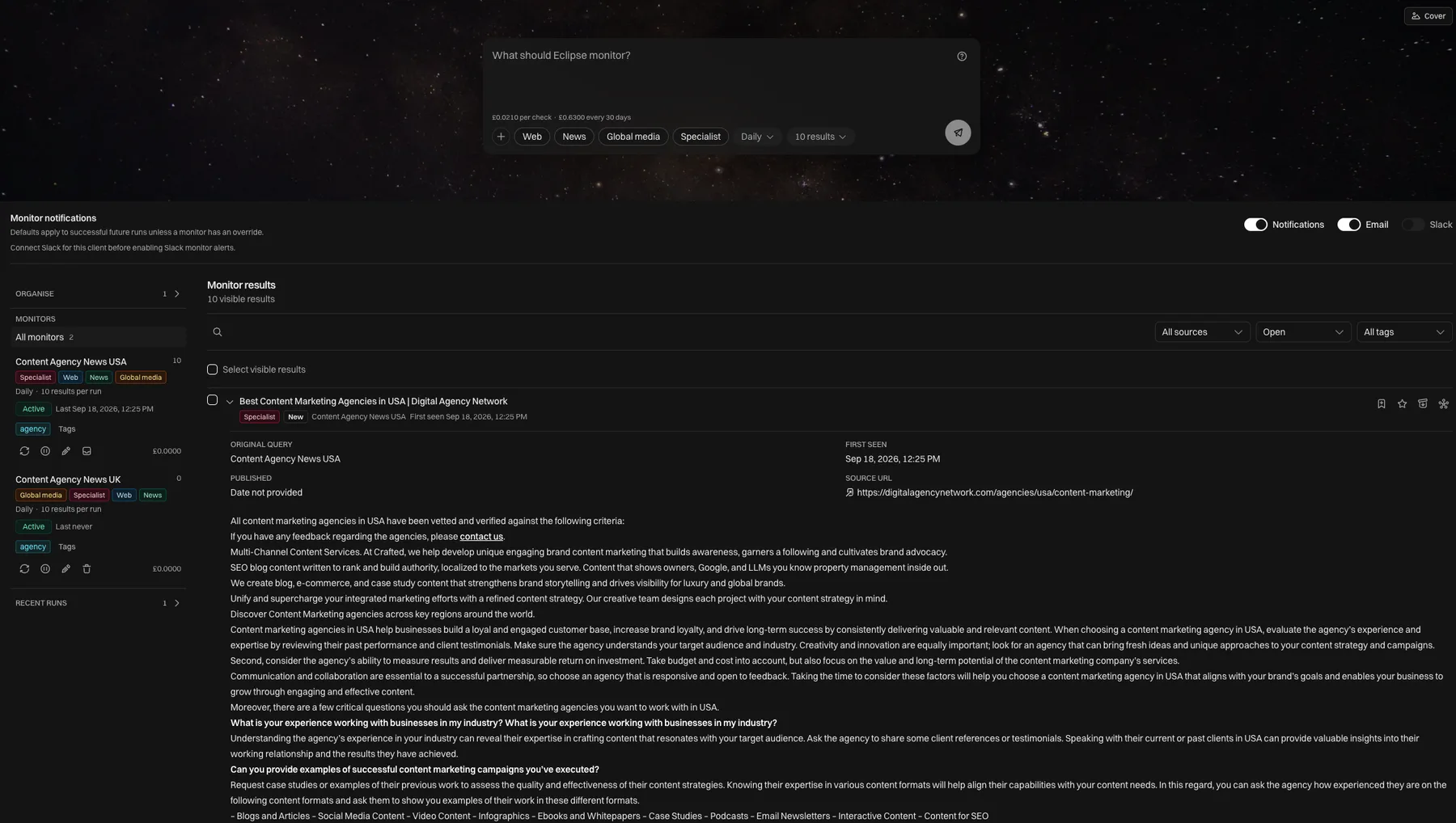
Results arrive grouped by the run that found them, each with its source, the date, and the extracted text. Filter by monitor, run, tag, source or state.
Save the useful ones. Flag the urgent ones. Archive the rest in a pass. The feed is somewhere you spend two minutes, not somewhere you scroll.
NewArrived in the last run and nobody has looked at it yet.
SavedWorth keeping as background for whoever writes the next piece.
PrioritySomeone needs to act on this one before it stops being news.
ArchivedOut of the feed without being deleted, so the run history stays honest.
Sent to CortexAlready on a canvas and available to CASi as a source.
Send it to Cortex and write from it
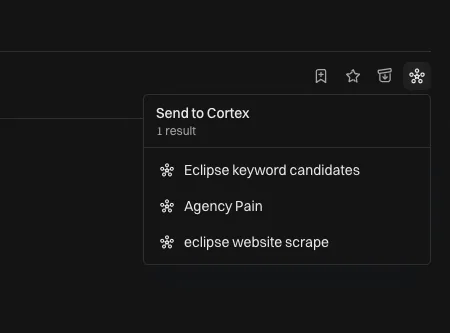
A result you keep can go onto the canvas as a source node, carrying the monitor it came from, the title, the source, the date it was detected and the full extracted text.
From there CASi treats it like any other evidence. Connect it to a brief, an article, a social post or a chat. The market signal that prompted it stays attached, so anyone reviewing can see what it was built on.
Pick the canvasIt lands as evidence CASi can write from
Tight for a sharp query, wider for discovery work.
A monthly cap
Set a ceiling on a monitor and it stops when it reaches it.
Alerts where you work
Email for the person who owns it, Slack for the channel where the team is already talking.
One account, every client watched separately
Agencies run a market watch per client, each with its own sources, tags, budget and alerts. Switching client switches the whole picture, so nothing bleeds between accounts.
Common questions
Competitor tracking builds a profile of a named rival. A monitor tracks any query you define across broader sources, so it catches the sector, the topic and the people you have not named yet.
Reddit watches communities you choose and scores threads by buying intent. Monitors watch the open web, the news and the sources you trust.
Alerts go to email and to Slack once that client's Slack is connected, and you can turn them off per client without touching each monitor.
Narrow the query, cut the result limit, or drop a source group. The feed is filtered by run and tag, so a noisy week can be archived in one pass.
Pause it and it stays where it is with its history intact. Archive it when it has served its purpose.
Put a monitor on your market
Tell us the one thing you wish you heard about sooner. We will set the monitor up on the call and you can watch what comes back.